About Password Depot
Password Depot is a password manager for iOS. Store all your passwords and confidential information in a secure vault protected with AES 256-bit encryption. From now on, you only need to remember one password: the master...
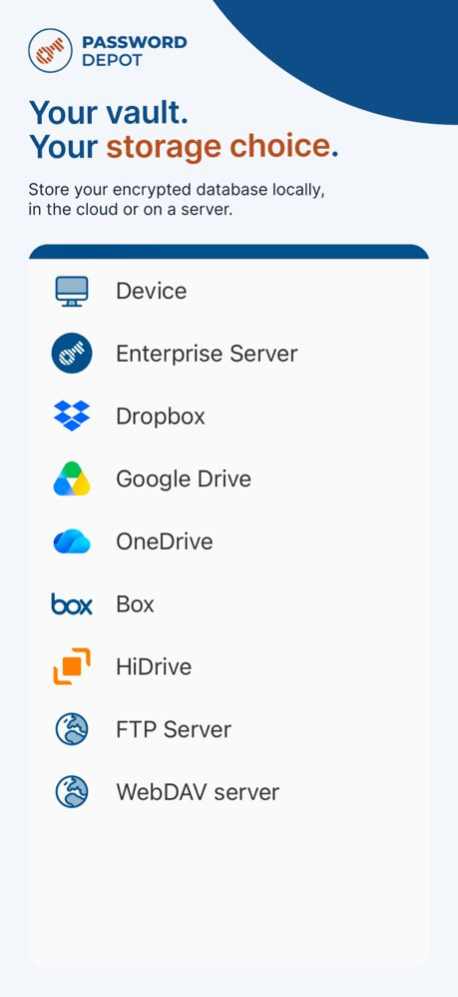
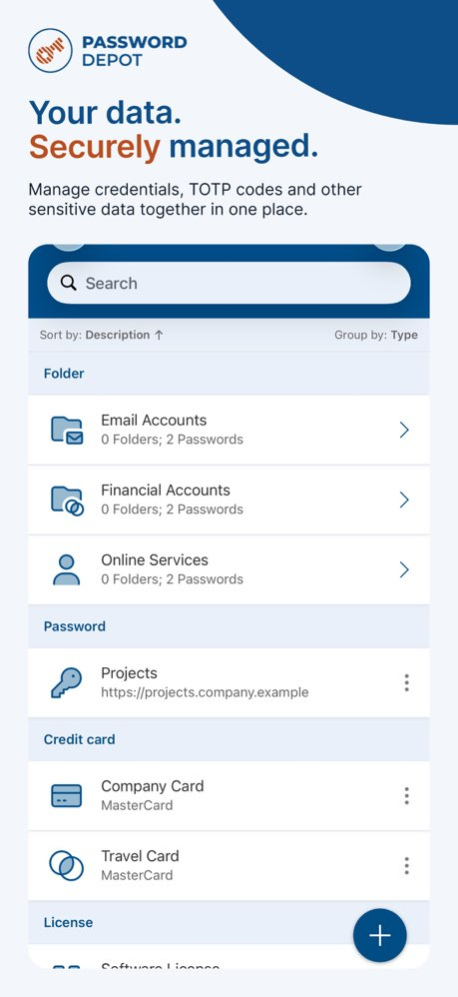
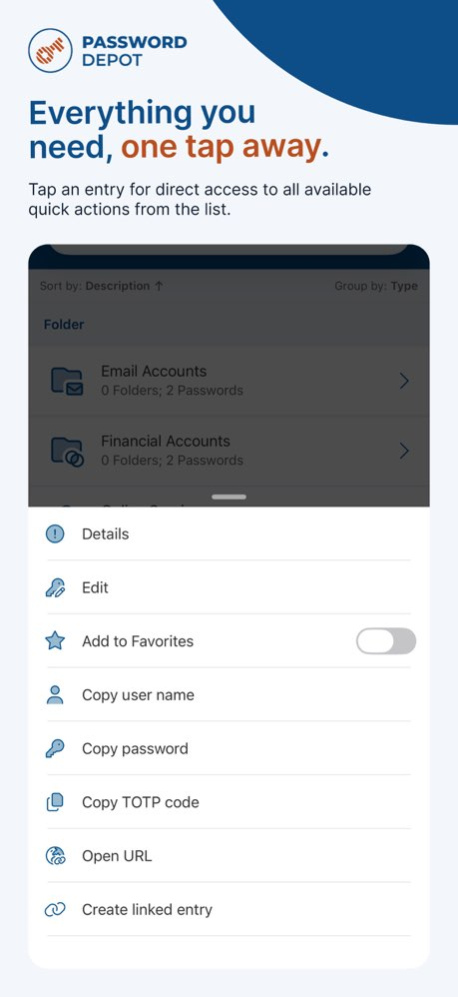
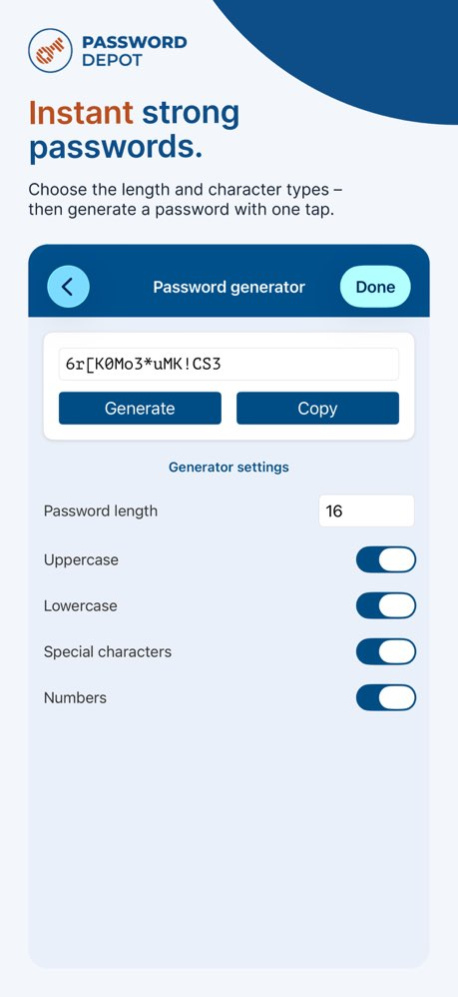
Password Depot is a password manager for iOS. Store all your passwords and confidential information in a secure vault protected with AES 256-bit encryption. From now on, you only need to remember one password: the master password you use to open Password Depot. Generate strong, virtually uncrackable passwords for your logins and all your security needs. Keep your sensitive data protected and accessible whenever you need it. You decide where Password Depot stores your encrypted vault: - On your smartphone - In the cloud (Dropbox, Google Drive, OneDrive, HiDrive, Box, and others) so you can access it from multiple devices simultaneously - On an FTP server - On your corporate server using Password Depot Enterprise Server Download Password Depot and enjoy the protection this password manager offers. Use Password Depot on all your devices, including smartphones, tablets, and desktop computers. Here is an overview of some highlights of the iOS edition: - Password manager: a secure vault for your passwords - Secure databases for all passwords with AES 256-bit encryption - Fingerprint scanner support - Password generator: create strong, virtually uncrackable passwords - Automatic completion of login credentials with the integrated browser - Organize passwords in folders for a clear structure - Sort entries by category or description - Quick search function - Automatic app lock - Automatic deletion of passwords copied to the clipboard - Protection from screenshots and screen recording - Automatic storage - Automatic backup - Custom fields - TAN management - Native iOS app - Fast, first-class support via email - Completely free and ad-free! No one can open your Password Depot vault without the master password-not even the manufacturer, AceBIT. Your vault is securely encrypted with AES 256-bit encryption. Password Depot is an easy way to store your passwords securely. Download Password Depot now and see for yourself!
Version History - Added full passkey support in the built-in browser. Opening a saved URL now displays all matching passkey entries and the app can offer to create a new passkey entry after signing in to a supported website. - Added an option to disable automatic unlocking of the last used database when the app starts. - Added selectable types for custom fields; date fields are now displayed accordingly as dates. - Updated the OpenSSL library. - Discontinued support for iOS 18. - Optimized the user interface for iOS 26. - Fixed various issues affecting TAN parsing, entry creation, identity birth dates, newly linked entries and FTP password saving, along with further improvements to dialogs and controls. 19.1.0 Sep 25 - Added support for AES-GCM-encrypted databases and for databases using Argon2id or custom PBKDF2 parameters. - Added support for pCloud’s EU data region. - Discontinued support for Password Depot Enterprise Server 17. - Aligned the user interface with the Password Depot Windows Client by adopting its complete icon set and colors, and improved the overall color scheme. - Implemented minor fixes and improvements. 19.0.2 Aug 5 Added authentication mode "Windows domain credentials". 19.0.1 Jan 27 – Added support for Password Depot Enterprise Server 19; – Added the option to select an XML parsing library in the app settings: Settings → General → XML Library 19.0.0 12/13/2025 An occasional problem with loading databases has been fixed. 18.1.1 10/30/2025 Removed support for outdated iOS 16 and iOS 17; Fixed UI issues on iOS 26; Updated internal database format; 18.1.0 10/21/2025 – Added support for Passkey entries; – Added the ability to disable Quick Search; – Improved UI for autocomplete suggestions; – Fixed an issue with filling out the ' character; 18.0.2 06/27/2025 New field type “protected” added. 18.0.1 02/24/2025 Added support for Enterprise Server v18; Removed support for Enterprise Server v16; Fixed link to support site; 18.0.0 02/04/2025 Support for older iOS versions (iOS 14 and iOS 15) has been dropped. Fixed an issue with Google Drive storage. Added a dark mode version of the app icon. Introduced the ability to change icons for entries. 17.5.0 12/04/2024 - Support for the "Log access" function. - Added support for Universal Links as redirect URLs for OIDC clients. - Minor error and text corrections. 17.4.3 06/18/2024 - Added support for universal links. - New supported languages (Czech, Finnish, Hungarian and Norwegian). - New “Timeout” setting for WebDav connections. - Improvements in OpenID Connect. 17.4.2 03/06/2024 Restored access to the Dropbox cloud. 17.4.1 01/17/2024 New option to disable startup animation; Added the field "Command Line" to RDP and Putty entries; The app settings view has been updated. Support of “Conditional Access” function for entries; 17.4.0 12/04/2023 -Added support for “Document” entries. - Added support for linked entries. -Added support for OpenID Connect. - TOTP improvements. - Improvements in the Entry Actions dialog box. - Fix SFTP issues. - UI improvements of error/success notifications. 17.3.0 10/18/2023 Added TOTP generation support for entries. Fixed an issue with not showing entries for authorized users. Fixed some other text and UI issues. 17.2.0 05/16/2023 - Added support for "Custom" entries. - Added "Offline" mode support for Azure AD authentication. - Added master password local policy. - Password fields have been improved. - Fixed a problem with expired token for Azure AD. 17.1.0 05/08/2023 Support for Password Depot Server 17. Updated cloud and WebDAV services. Updated user interface. Offline mode for server databases. Function for exporting entries. 17.0.0 12/01/2022 New entry type "Certificate" for secure storage of public and private keys. UI improvements in Database Manager. 16.0.3 08/29/2022 Problem with access rights has been fixed. New master password requirements. The MagentaCloud URL has been updated. Added the ability to check the master password in the pwned list. Extended second password support. 16.0.2 06/22/2022 Minor error corrections. 16.0.1 03/11/2022 Support of Password Depot Enterprise Server 16; Support of Azure AD authentication; 16.0.0 02/15/2022 Error corrections and improvements. 15.1.0 11/18/2021 - Support of TLS v1.3 and Password Depot Server v15.2;- Support of SFTP; - Support of “Change password on next logon” feature; 15.0.9 04/06/2021 Minor corrections and improvements. 15.0.8 02/03/2021
Previous Versions
Here you can find the changelog of Password Depot since it was posted on our website on 2023-09-06 19:06:35.
The latest version is 19.1.0 and it was updated on 2026-10-07 01:56:12. See below the changes in each version.
Password Depot version 19.1.0
Updated At: 2026-10-07
Changes: Version History - Added full passkey support in the built-in browser. Opening a saved URL now displays all matching passkey entries and the app can offer to create a new passkey entry after signing in to a supported website.
- Added an option to disable automatic unlocking of the last used database when the app starts.
- Added selectable types for custom fields; date fields are now displayed accordingly as dates.
- Updated the OpenSSL library.
- Discontinued support for iOS 18.
- Optimized the user interface for iOS 26.
- Fixed various issues affecting TAN parsing, entry creation, identity birth dates, newly linked entries and FTP password saving, along with further improvements to dialogs and controls. 19.1.0 Sep 25 - Added support for AES-GCM-encrypted databases and for databases using Argon2id or custom PBKDF2 parameters.
- Added support for pCloud’s EU data region.
- Discontinued support for Password Depot Enterprise Server 17.
- Aligned the user interface with the Password Depot Windows Client by adopting its complete icon set and colors, and improved the overall color scheme.
- Implemented minor fixes and improvements. 19.0.2 Aug 5 Added authentication mode "Windows domain credentials". 19.0.1 Jan 27 – Added support for Password Depot Enterprise Server 19;
– Added the option to select an XML parsing library in the app settings: Settings → General → XML Library 19.0.0 12/13/2025 An occasional problem with loading databases has been fixed. 18.1.1 10/30/2025 Removed support for outdated iOS 16 and iOS 17;
Fixed UI issues on iOS 26;
Updated internal database format; 18.1.0 10/21/2025 – Added support for Passkey entries;
– Added the ability to disable Quick Search;
– Improved UI for autocomplete suggestions;
– Fixed an issue with filling out the ' character; 18.0.2 06/27/2025 New field type “protected” added. 18.0.1 02/24/2025 Added support for Enterprise Server v18;
Removed support for Enterprise Server v16;
Fixed link to support site; 18.0.0 02/04/2025 Support for older iOS versions (iOS 14 and iOS 15) has been dropped.
Fixed an issue with Google Drive storage.
Added a dark mode version of the app icon.
Introduced the ability to change icons for entries. 17.5.0 12/04/2024 - Support for the "Log access" function.
- Added support for Universal Links as redirect URLs for OIDC clients.
- Minor error and text corrections. 17.4.3 06/18/2024 - Added support for universal links.
- New supported languages (Czech, Finnish, Hungarian and Norwegian).
- New “Timeout” setting for WebDav connections.
- Improvements in OpenID Connect. 17.4.2 03/06/2024 Restored access to the Dropbox cloud. 17.4.1 01/17/2024 New option to disable startup animation;
Added the field "Command Line" to RDP and Putty entries;
The app settings view has been updated.
Support of “Conditional Access” function for entries; 17.4.0 12/04/2023 -Added support for “Document” entries.
- Added support for linked entries.
-Added support for OpenID Connect.
- TOTP improvements.
- Improvements in the Entry Actions dialog box.
- Fix SFTP issues.
- UI improvements of error/success notifications. 17.3.0 10/18/2023 Added TOTP generation support for entries.
Fixed an issue with not showing entries for authorized users.
Fixed some other text and UI issues. 17.2.0 05/16/2023 - Added support for "Custom" entries.
- Added "Offline" mode support for Azure AD authentication.
- Added master password local policy.
- Password fields have been improved.
- Fixed a problem with expired token for Azure AD. 17.1.0 05/08/2023 Support for Password Depot Server 17.
Updated cloud and WebDAV services.
Updated user interface.
Offline mode for server databases.
Function for exporting entries. 17.0.0 12/01/2022 New entry type "Certificate" for secure storage of public and private keys.
UI improvements in Database Manager. 16.0.3 08/29/2022 Problem with access rights has been fixed.
New master password requirements.
The MagentaCloud URL has been updated.
Added the ability to check the master password in the pwned list.
Extended second password support. 16.0.2 06/22/2022 Minor error corrections. 16.0.1 03/11/2022 Support of Password Depot Enterprise Server 16; Support of Azure AD authentication; 16.0.0 02/15/2022 Error corrections and improvements. 15.1.0 11/18/2021 - Support of TLS v1.3 and Password Depot Server v15.2;- Support of SFTP;
- Support of “Change password on next logon” feature; 15.0.9 04/06/2021 Minor corrections and improvements. 15.0.8 02/03/2021
Password Depot version 19.1.0
Updated At: 2026-09-28
Changes: Version History - Added full passkey support in the built-in browser. Opening a saved URL now displays all matching passkey entries and the app can offer to create a new passkey entry after signing in to a supported website.
- Added an option to disable automatic unlocking of the last used database when the app starts.
- Added selectable types for custom fields; date fields are now displayed accordingly as dates.
- Updated the OpenSSL library.
- Discontinued support for iOS 18.
- Optimized the user interface for iOS 26.
- Fixed various issues affecting TAN parsing, entry creation, identity birth dates, newly linked entries and FTP password saving, along with further improvements to dialogs and controls. 19.1.0 2d ago - Added support for AES-GCM-encrypted databases and for databases using Argon2id or custom PBKDF2 parameters.
- Added support for pCloud’s EU data region.
- Discontinued support for Password Depot Enterprise Server 17.
- Aligned the user interface with the Password Depot Windows Client by adopting its complete icon set and colors, and improved the overall color scheme.
- Implemented minor fixes and improvements. 19.0.2 Aug 5 Added authentication mode "Windows domain credentials". 19.0.1 Jan 27 – Added support for Password Depot Enterprise Server 19;
– Added the option to select an XML parsing library in the app settings: Settings → General → XML Library 19.0.0 12/13/2025 An occasional problem with loading databases has been fixed. 18.1.1 10/30/2025 Removed support for outdated iOS 16 and iOS 17;
Fixed UI issues on iOS 26;
Updated internal database format; 18.1.0 10/21/2025 – Added support for Passkey entries;
– Added the ability to disable Quick Search;
– Improved UI for autocomplete suggestions;
– Fixed an issue with filling out the ' character; 18.0.2 06/27/2025 New field type “protected” added. 18.0.1 02/24/2025 Added support for Enterprise Server v18;
Removed support for Enterprise Server v16;
Fixed link to support site; 18.0.0 02/04/2025 Support for older iOS versions (iOS 14 and iOS 15) has been dropped.
Fixed an issue with Google Drive storage.
Added a dark mode version of the app icon.
Introduced the ability to change icons for entries. 17.5.0 12/04/2024 - Support for the "Log access" function.
- Added support for Universal Links as redirect URLs for OIDC clients.
- Minor error and text corrections. 17.4.3 06/18/2024 - Added support for universal links.
- New supported languages (Czech, Finnish, Hungarian and Norwegian).
- New “Timeout” setting for WebDav connections.
- Improvements in OpenID Connect. 17.4.2 03/06/2024 Restored access to the Dropbox cloud. 17.4.1 01/17/2024 New option to disable startup animation;
Added the field "Command Line" to RDP and Putty entries;
The app settings view has been updated.
Support of “Conditional Access” function for entries; 17.4.0 12/04/2023 -Added support for “Document” entries.
- Added support for linked entries.
-Added support for OpenID Connect.
- TOTP improvements.
- Improvements in the Entry Actions dialog box.
- Fix SFTP issues.
- UI improvements of error/success notifications. 17.3.0 10/18/2023 Added TOTP generation support for entries.
Fixed an issue with not showing entries for authorized users.
Fixed some other text and UI issues. 17.2.0 05/16/2023 - Added support for "Custom" entries.
- Added "Offline" mode support for Azure AD authentication.
- Added master password local policy.
- Password fields have been improved.
- Fixed a problem with expired token for Azure AD. 17.1.0 05/08/2023 Support for Password Depot Server 17.
Updated cloud and WebDAV services.
Updated user interface.
Offline mode for server databases.
Function for exporting entries. 17.0.0 12/01/2022 New entry type "Certificate" for secure storage of public and private keys.
UI improvements in Database Manager. 16.0.3 08/29/2022 Problem with access rights has been fixed.
New master password requirements.
The MagentaCloud URL has been updated.
Added the ability to check the master password in the pwned list.
Extended second password support. 16.0.2 06/22/2022 Minor error corrections. 16.0.1 03/11/2022 Support of Password Depot Enterprise Server 16; Support of Azure AD authentication; 16.0.0 02/15/2022 Error corrections and improvements. 15.1.0 11/18/2021 - Support of TLS v1.3 and Password Depot Server v15.2;- Support of SFTP;
- Support of “Change password on next logon” feature; 15.0.9 04/06/2021 Minor corrections and improvements. 15.0.8 02/03/2021
Password Depot version 19.0.2
Updated At: 2026-09-21
Changes: Version History - Added support for AES-GCM-encrypted databases and for databases using Argon2id or custom PBKDF2 parameters.
- Added support for pCloud’s EU data region.
- Discontinued support for Password Depot Enterprise Server 17.
- Aligned the user interface with the Password Depot Windows Client by adopting its complete icon set and colors, and improved the overall color scheme.
- Implemented minor fixes and improvements. 19.0.2 Aug 5 Added authentication mode "Windows domain credentials". 19.0.1 Jan 27 – Added support for Password Depot Enterprise Server 19;
– Added the option to select an XML parsing library in the app settings: Settings → General → XML Library 19.0.0 12/13/2025 An occasional problem with loading databases has been fixed. 18.1.1 10/30/2025 Removed support for outdated iOS 16 and iOS 17;
Fixed UI issues on iOS 26;
Updated internal database format; 18.1.0 10/21/2025 – Added support for Passkey entries;
– Added the ability to disable Quick Search;
– Improved UI for autocomplete suggestions;
– Fixed an issue with filling out the ' character; 18.0.2 06/27/2025 New field type “protected” added. 18.0.1 02/24/2025 Added support for Enterprise Server v18;
Removed support for Enterprise Server v16;
Fixed link to support site; 18.0.0 02/04/2025 Support for older iOS versions (iOS 14 and iOS 15) has been dropped.
Fixed an issue with Google Drive storage.
Added a dark mode version of the app icon.
Introduced the ability to change icons for entries. 17.5.0 12/04/2024 - Support for the "Log access" function.
- Added support for Universal Links as redirect URLs for OIDC clients.
- Minor error and text corrections. 17.4.3 06/18/2024 - Added support for universal links.
- New supported languages (Czech, Finnish, Hungarian and Norwegian).
- New “Timeout” setting for WebDav connections.
- Improvements in OpenID Connect. 17.4.2 03/06/2024 Restored access to the Dropbox cloud. 17.4.1 01/17/2024 New option to disable startup animation;
Added the field "Command Line" to RDP and Putty entries;
The app settings view has been updated.
Support of “Conditional Access” function for entries; 17.4.0 12/04/2023 -Added support for “Document” entries.
- Added support for linked entries.
-Added support for OpenID Connect.
- TOTP improvements.
- Improvements in the Entry Actions dialog box.
- Fix SFTP issues.
- UI improvements of error/success notifications. 17.3.0 10/18/2023 Added TOTP generation support for entries.
Fixed an issue with not showing entries for authorized users.
Fixed some other text and UI issues. 17.2.0 05/16/2023 - Added support for "Custom" entries.
- Added "Offline" mode support for Azure AD authentication.
- Added master password local policy.
- Password fields have been improved.
- Fixed a problem with expired token for Azure AD. 17.1.0 05/08/2023 Support for Password Depot Server 17.
Updated cloud and WebDAV services.
Updated user interface.
Offline mode for server databases.
Function for exporting entries. 17.0.0 12/01/2022 New entry type "Certificate" for secure storage of public and private keys.
UI improvements in Database Manager. 16.0.3 08/29/2022 Problem with access rights has been fixed.
New master password requirements.
The MagentaCloud URL has been updated.
Added the ability to check the master password in the pwned list.
Extended second password support. 16.0.2 06/22/2022 Minor error corrections. 16.0.1 03/11/2022 Support of Password Depot Enterprise Server 16; Support of Azure AD authentication; 16.0.0 02/15/2022 Error corrections and improvements. 15.1.0 11/18/2021 - Support of TLS v1.3 and Password Depot Server v15.2;- Support of SFTP;
- Support of “Change password on next logon” feature; 15.0.9 04/06/2021 Minor corrections and improvements. 15.0.8 02/03/2021 Added support of “Enter” command for web autocomplete.
Fixed the “Auto clear clipboard” problem. 15.0.7 01/26/2021
Password Depot version 19.0.2
Updated At: 2026-08-12
Changes: Version History - Added support for AES-GCM-encrypted databases and for databases using Argon2id or custom PBKDF2 parameters.
- Added support for pCloud’s EU data region.
- Discontinued support for Password Depot Enterprise Server 17.
- Aligned the user interface with the Password Depot Windows Client by adopting its complete icon set and colors, and improved the overall color scheme.
- Implemented minor fixes and improvements. 19.0.2 6d ago Added authentication mode "Windows domain credentials". 19.0.1 Jan 27 – Added support for Password Depot Enterprise Server 19;
– Added the option to select an XML parsing library in the app settings: Settings → General → XML Library 19.0.0 12/13/2025 An occasional problem with loading databases has been fixed. 18.1.1 10/30/2025 Removed support for outdated iOS 16 and iOS 17;
Fixed UI issues on iOS 26;
Updated internal database format; 18.1.0 10/21/2025 – Added support for Passkey entries;
– Added the ability to disable Quick Search;
– Improved UI for autocomplete suggestions;
– Fixed an issue with filling out the ' character; 18.0.2 06/27/2025 New field type “protected” added. 18.0.1 02/24/2025 Added support for Enterprise Server v18;
Removed support for Enterprise Server v16;
Fixed link to support site; 18.0.0 02/04/2025 Support for older iOS versions (iOS 14 and iOS 15) has been dropped.
Fixed an issue with Google Drive storage.
Added a dark mode version of the app icon.
Introduced the ability to change icons for entries. 17.5.0 12/04/2024 - Support for the "Log access" function.
- Added support for Universal Links as redirect URLs for OIDC clients.
- Minor error and text corrections. 17.4.3 06/18/2024 - Added support for universal links.
- New supported languages (Czech, Finnish, Hungarian and Norwegian).
- New “Timeout” setting for WebDav connections.
- Improvements in OpenID Connect. 17.4.2 03/06/2024 Restored access to the Dropbox cloud. 17.4.1 01/17/2024 New option to disable startup animation;
Added the field "Command Line" to RDP and Putty entries;
The app settings view has been updated.
Support of “Conditional Access” function for entries; 17.4.0 12/04/2023 -Added support for “Document” entries.
- Added support for linked entries.
-Added support for OpenID Connect.
- TOTP improvements.
- Improvements in the Entry Actions dialog box.
- Fix SFTP issues.
- UI improvements of error/success notifications. 17.3.0 10/18/2023 Added TOTP generation support for entries.
Fixed an issue with not showing entries for authorized users.
Fixed some other text and UI issues. 17.2.0 05/16/2023 - Added support for "Custom" entries.
- Added "Offline" mode support for Azure AD authentication.
- Added master password local policy.
- Password fields have been improved.
- Fixed a problem with expired token for Azure AD. 17.1.0 05/08/2023 Support for Password Depot Server 17.
Updated cloud and WebDAV services.
Updated user interface.
Offline mode for server databases.
Function for exporting entries. 17.0.0 12/01/2022 New entry type "Certificate" for secure storage of public and private keys.
UI improvements in Database Manager. 16.0.3 08/29/2022 Problem with access rights has been fixed.
New master password requirements.
The MagentaCloud URL has been updated.
Added the ability to check the master password in the pwned list.
Extended second password support. 16.0.2 06/22/2022 Minor error corrections. 16.0.1 03/11/2022 Support of Password Depot Enterprise Server 16; Support of Azure AD authentication; 16.0.0 02/15/2022 Error corrections and improvements. 15.1.0 11/18/2021 - Support of TLS v1.3 and Password Depot Server v15.2;- Support of SFTP;
- Support of “Change password on next logon” feature; 15.0.9 04/06/2021 Minor corrections and improvements. 15.0.8 02/03/2021 Added support of “Enter” command for web autocomplete.
Fixed the “Auto clear clipboard” problem. 15.0.7 01/26/2021
Password Depot version 19.0.1
Updated At: 2026-07-23
Changes: Version History Added authentication mode "Windows domain credentials". 19.0.1 Jan 27 – Added support for Password Depot Enterprise Server 19;
– Added the option to select an XML parsing library in the app settings: Settings → General → XML Library 19.0.0 12/13/2025 An occasional problem with loading databases has been fixed. 18.1.1 10/30/2025 Removed support for outdated iOS 16 and iOS 17;
Fixed UI issues on iOS 26;
Updated internal database format; 18.1.0 10/21/2025 – Added support for Passkey entries;
– Added the ability to disable Quick Search;
– Improved UI for autocomplete suggestions;
– Fixed an issue with filling out the ' character; 18.0.2 06/27/2025 New field type “protected” added. 18.0.1 02/24/2025 Added support for Enterprise Server v18;
Removed support for Enterprise Server v16;
Fixed link to support site; 18.0.0 02/04/2025 Support for older iOS versions (iOS 14 and iOS 15) has been dropped.
Fixed an issue with Google Drive storage.
Added a dark mode version of the app icon.
Introduced the ability to change icons for entries. 17.5.0 12/04/2024 - Support for the "Log access" function.
- Added support for Universal Links as redirect URLs for OIDC clients.
- Minor error and text corrections. 17.4.3 06/18/2024 - Added support for universal links.
- New supported languages (Czech, Finnish, Hungarian and Norwegian).
- New “Timeout” setting for WebDav connections.
- Improvements in OpenID Connect. 17.4.2 03/06/2024 Restored access to the Dropbox cloud. 17.4.1 01/17/2024 New option to disable startup animation;
Added the field "Command Line" to RDP and Putty entries;
The app settings view has been updated.
Support of “Conditional Access” function for entries; 17.4.0 12/04/2023 -Added support for “Document” entries.
- Added support for linked entries.
-Added support for OpenID Connect.
- TOTP improvements.
- Improvements in the Entry Actions dialog box.
- Fix SFTP issues.
- UI improvements of error/success notifications. 17.3.0 10/18/2023 Added TOTP generation support for entries.
Fixed an issue with not showing entries for authorized users.
Fixed some other text and UI issues. 17.2.0 05/16/2023 - Added support for "Custom" entries.
- Added "Offline" mode support for Azure AD authentication.
- Added master password local policy.
- Password fields have been improved.
- Fixed a problem with expired token for Azure AD. 17.1.0 05/08/2023 Support for Password Depot Server 17.
Updated cloud and WebDAV services.
Updated user interface.
Offline mode for server databases.
Function for exporting entries. 17.0.0 12/01/2022 New entry type "Certificate" for secure storage of public and private keys.
UI improvements in Database Manager. 16.0.3 08/29/2022 Problem with access rights has been fixed.
New master password requirements.
The MagentaCloud URL has been updated.
Added the ability to check the master password in the pwned list.
Extended second password support. 16.0.2 06/22/2022 Minor error corrections. 16.0.1 03/11/2022 Support of Password Depot Enterprise Server 16; Support of Azure AD authentication; 16.0.0 02/15/2022 Error corrections and improvements. 15.1.0 11/18/2021 - Support of TLS v1.3 and Password Depot Server v15.2;- Support of SFTP;
- Support of “Change password on next logon” feature; 15.0.9 04/06/2021 Minor corrections and improvements. 15.0.8 02/03/2021 Added support of “Enter” command for web autocomplete.
Fixed the “Auto clear clipboard” problem. 15.0.7 01/26/2021 Corrections to the FTPS and FTPES protocols;
Added new authentication methods (external key, master password + external key);
External keys can be shared and added to the app;
Corrections to http redirects in the web screen;
Added the possibility to change credentials;
Correction of many user interface issues; 15.0.6 01/11/2021
Password Depot version 19.0.1
Updated At: 2026-01-27
Changes: Added authentication mode "Windows domain credentials".
Password Depot version 18.0.2
Updated At: 2025-06-27
Changes: Jun 27, 2025
Version 18.0.2
– Added support for Passkey entries;
– Added the ability to disable Quick Search;
– Improved UI for autocomplete suggestions;
– Fixed an issue with filling out the ' character;
Password Depot version 18.0.1
Updated At: 2025-02-24
Changes: Feb 24, 2025
Version 18.0.1
New field type “protected” added.
Password Depot version 18.0.0
Updated At: 2025-02-04
Changes: Feb 4, 2025
Version 18.0.0
Added support for Enterprise Server v18;
Removed support for Enterprise Server v16;
Fixed link to support site;
Password Depot version 17.5.0
Updated At: 2024-12-04
Changes: Dec 4, 2024
Version 17.5.0
Support for older iOS versions (iOS 14 and iOS 15) has been dropped.
Fixed an issue with Google Drive storage.
Added a dark mode version of the app icon.
Introduced the ability to change icons for entries.
Disclaimer
Official App Store Link
We do not host Password Depot on our servers. We did not scan it for viruses, adware, spyware or other type of malware. This app is hosted by Apple and passed their terms and conditions to be listed there. We recommend caution when installing it.
The App Store link for Password Depot is provided to you by apps112.com without any warranties, representations or guarantees of any kind, so access it at your own risk.
If you have questions regarding this particular app contact the publisher directly. For questions about the functionalities of apps112.com contact us.